
Task Board
Experimental
The Task Board is an experimental feature. Enable it under Settings → Features — it requires an app restart after toggling. When on, the Task Board view and the Settings → Task Providers section become available.
The Task Board is a kanban board for structured, agent-driven work. Tasks move through columns — Todo → Planning → Executing → Review → Done — and each task can run an agent in its own git isolation.
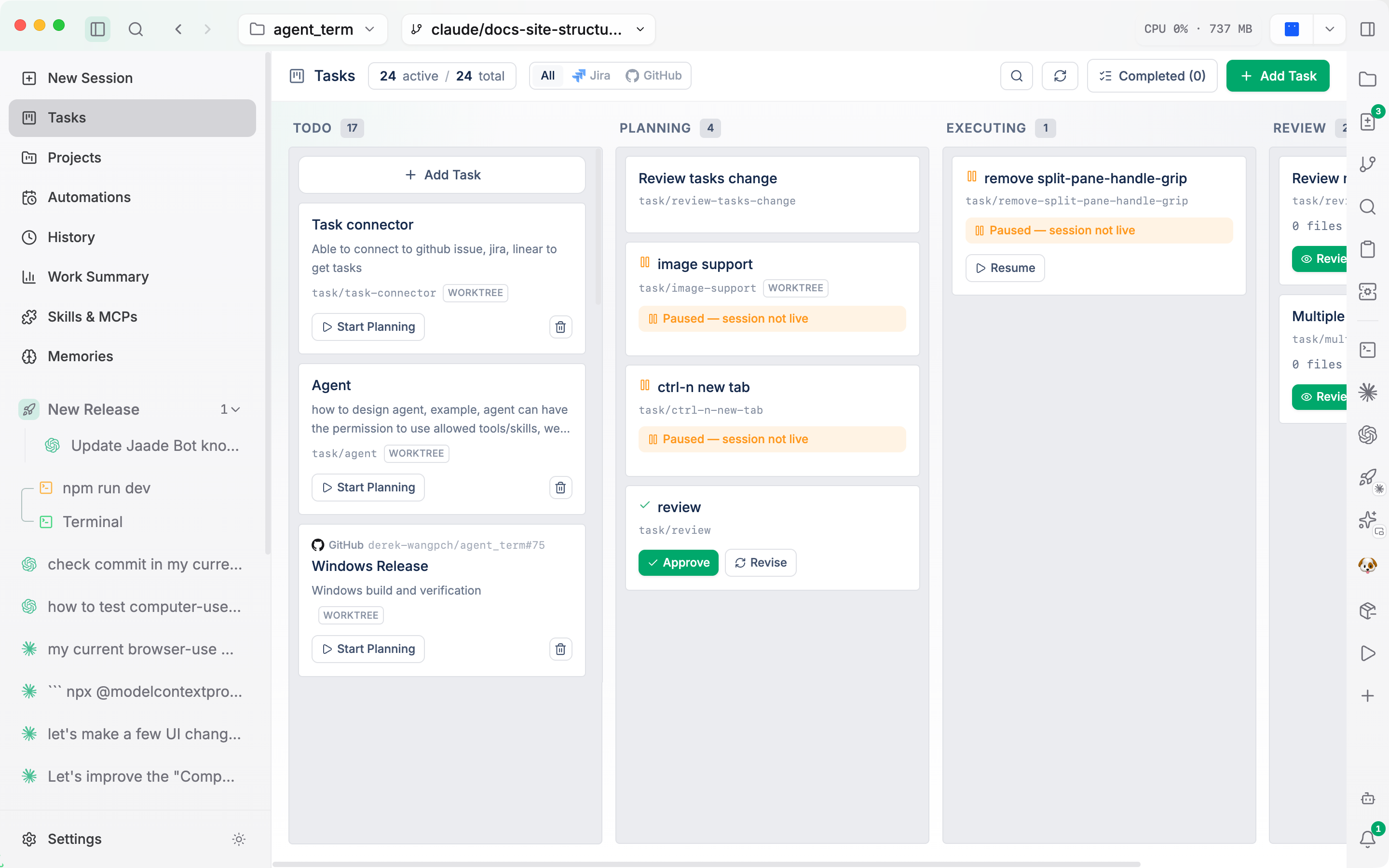
External provider sync
The board can sync tasks from external trackers:
- Jira
- GitHub (issues)
- Linear
Provider credentials and sync settings live in Settings → Task Providers, and a Refresh button in the Tasks header syncs all enabled providers in one click.
Each task carries metadata you can review: title, description, current column, plan/exec/review status, and — when it came from a provider — the external id and URL, plus the agent, model, branch, and changed files for the work.
Git isolation modes
When a task starts work, it runs in one of three git isolation modes (chosen per task at creation, seeded from a default you set under Settings → Task):
| Mode | Label | Behavior |
|---|---|---|
none | Current Branch | Runs in place on the current branch — no new branch or worktree. Default. |
local-branch | — | Runs in place on a new branch, without a git worktree. |
worktree | — | Checks out an isolated copy in a git worktree. These tasks show a worktree badge. |
Worktree isolation keeps a task's changes off your working tree until you're ready to merge them, which pairs well with reviewing several tasks at once.
Asking about tasks
Jaade Bot can answer questions about your tasks — counts, statuses, which look simple — by querying the board. For example: "How many tasks are in review?" or "Which tasks look small?"
Related
- Projects — for orchestrating multiple sessions through a dependency graph (a different model from the kanban board).
- Features configuration — enabling the board and configuring providers.