
Introduction
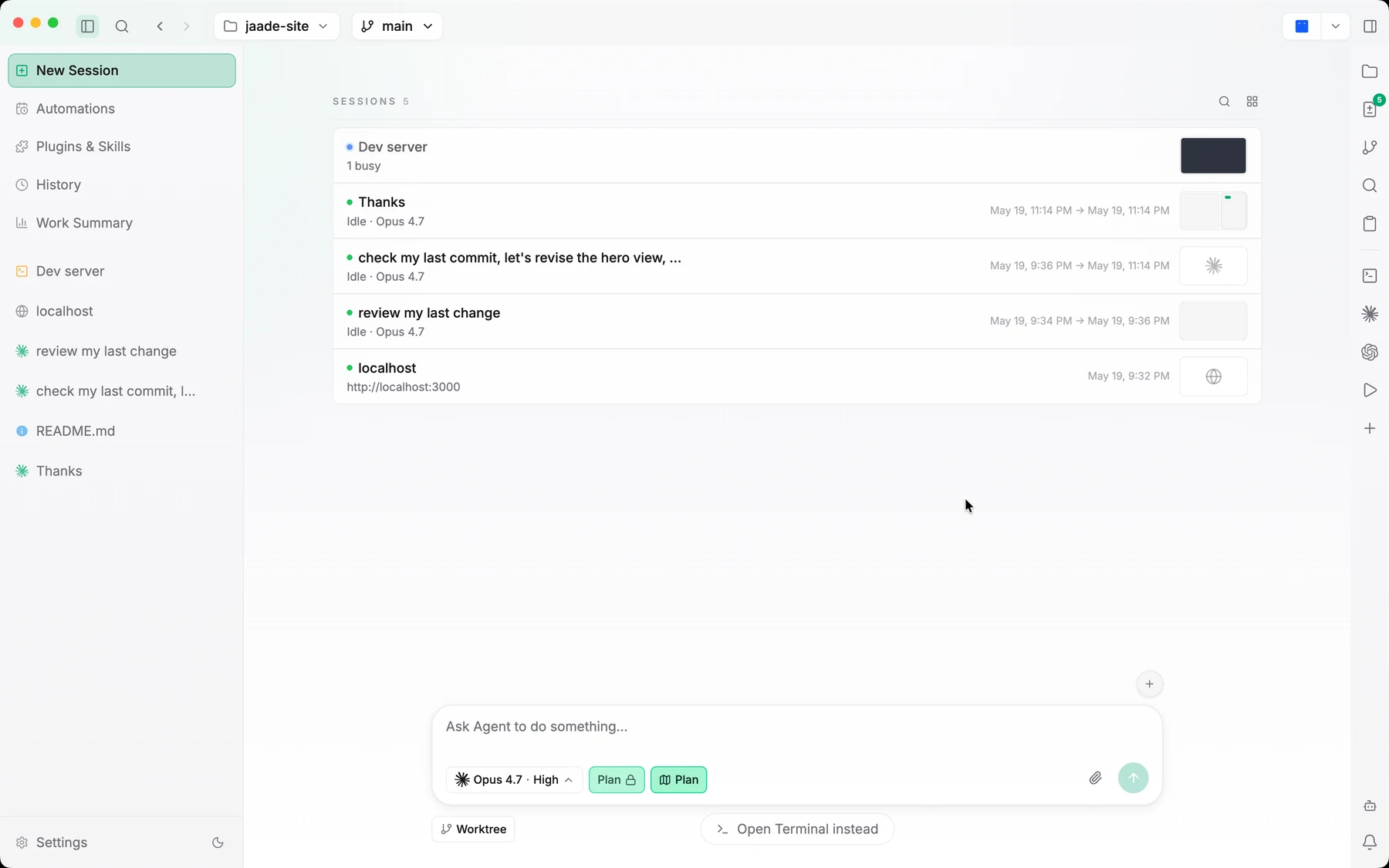
Jaade — Just Another Agentic Development Environment — is a local desktop app for agent-driven development. It is terminal-first, file-aware, and built around running coding agents, reviewing what they did, managing your workspace context, and configuring everything from one place.
If you already run Claude Code or Codex in a terminal, Jaade is the workspace that wraps that workflow: it keeps each agent run as an inspectable session, puts your files, diffs, and git history one click away, and lets you set the model, reasoning effort, and permission mode before you hand off a task.
What Jaade is for
Jaade is built for developers and teams who want to delegate work to coding agents without giving up oversight. The guiding idea throughout the app is refined utility — a dense but calm desktop workspace where terminal and file workflows are first-class, and where agent activity is something you watch and steer rather than something that runs out of sight.
Concretely, Jaade lets you:
- Run sessions with four agents — Claude Code, Codex, OpenCode, and Cursor — side by side, each with its own model and settings.
- Watch a run unfold as a chat and as a Session Overview mind-map of every turn, tool call, and edit.
- Keep terminals, the file viewer/editor, and git review tools in the same window.
- Group related work into Projects where a master session orchestrates workers through a task graph.
- Extend agents with Skills, plugins, and MCP servers, and optionally let them drive your desktop or browser.
- Review every change before it lands, and resume any past session from its full transcript.
How it's built
Jaade is an Electron app with a React 19 + TypeScript front end, built with electron-vite. Terminals are backed by node-pty, local data is stored with better-sqlite3, and agents are driven through the official @anthropic-ai/claude-agent-sdk, the Codex app-server, the OpenCode SDK, and the Cursor SDK. The app currently ships for macOS.
You don't need to know any of that to use it — but it explains why the app feels like a native desktop workspace rather than a web tab.
Where to go next
- Installation — download the app and set up agent credentials.
- Quick Start — open a workspace and run your first session.
- Core Concepts — the workspace, sessions, agents, and the layout you'll be working in.
- Feature Overview — a map of everything Jaade can do.