
Jaade Bot
Jaade Bot is the app's built-in assistant — separate from the coding agents. Its job is to help you use Jaade: explain features, and when you ask, change a setting or open a view for you in plain language.
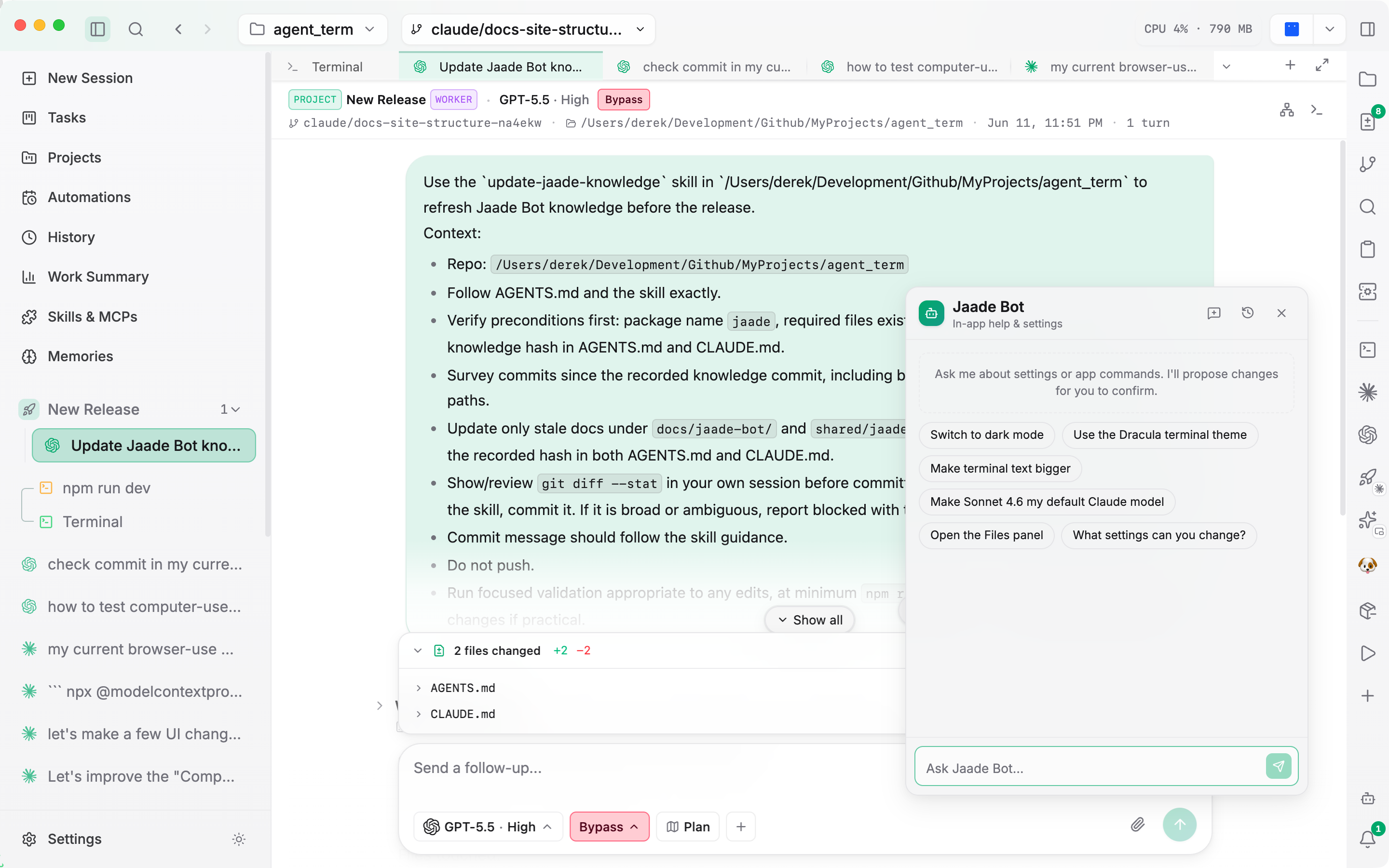
Open it from the assistant button in the title bar.
What it does
- Answers questions about the app — what a feature does, where a setting lives, how something works — in a concise, friendly way.
- Changes settings for you. When your request maps to a real setting, Jaade Bot proposes a concrete settings change for you to confirm, rather than just telling you where to click. For example: "switch to dark mode", "make the terminal text bigger", "default to Codex", "turn on vim mode".
- Runs app commands. It can open views and panels — "open the task board", "show my memories", "start a new session", "open settings".
- Answers questions about your tasks by querying the Task Board — "how many tasks are in review?"
How proposals work
Jaade Bot doesn't silently change your app. When it proposes a settings change you confirm it first. Sensitive settings — anything touching credentials, auth, sandboxing, or developer tools — require an explicit, second confirmation, and the bot won't flip them without you asking.
If a request is ambiguous ("make it bigger" without saying which font), it asks a one-line clarifying question instead of guessing. If you ask for something that isn't a real setting, it says so rather than inventing one.
What it can't do
- It can't run shell commands or read your files — that's what the coding agents are for. For code changes, it points you at starting a new session.
- It has no memory across conversations — if you reference an earlier chat, restate the relevant bit.
Related
- Configuration — everything Jaade Bot can change, in full.
- Commands — the app commands it can trigger.