
Source Control & Git
Reviewing and committing agent work is a core part of Jaade, so git lives in the workspace rather than in a separate tool. You inspect diffs, stage files intentionally, resolve conflicts, and commit without context-switching.
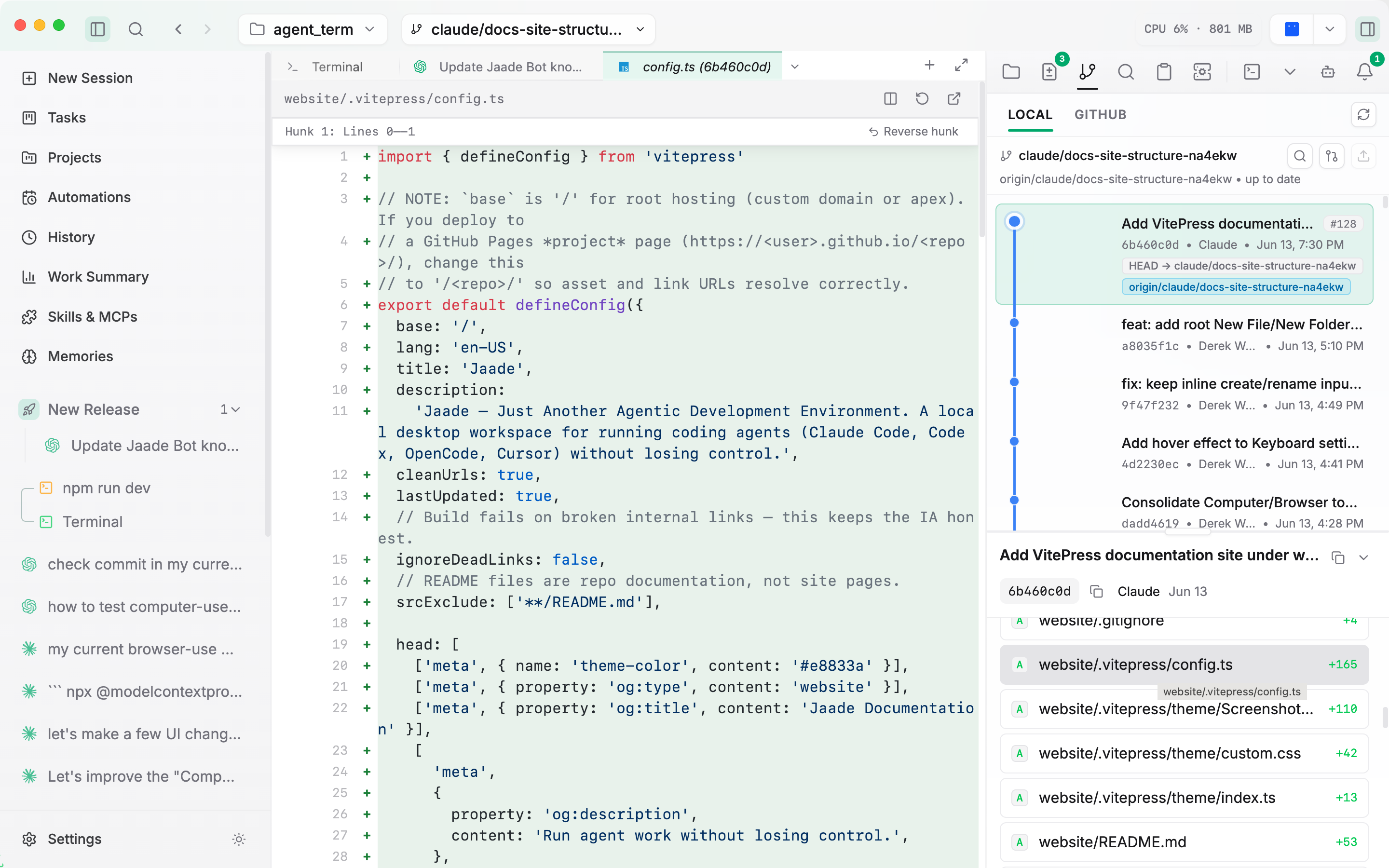
Source Control panel
The Source Control panel in the right rail lists changed files (with a tree / flat layout toggle) and lets you:
- Open any file's diff in the file viewer to see exactly what changed.
- Stage files intentionally — pick what goes into a commit rather than committing everything at once. Dragged-in folders and untracked directories are reviewable too, so nothing is committed sight-unseen.
- Write a commit message — a template can prefill it — and commit.
Sessions carry a commit-status indicator so you can see at a glance whether a run has left uncommitted changes behind, and Jaade caches the commit → pull request link so a committed change surfaces its PR quickly.
Quick commit actions
Next to the chat input, a commit split-button offers customizable quick actions. Each action is a labelled prompt (for example Commit & Push or Lint & Push); exactly one is the default. You manage the list in Settings → Git.
Merge conflicts
Conflicts are surfaced directly in the Source Control panel — conflicted files are flagged so you can spot them without dropping to the terminal, and each conflicted file can be staged individually once you've resolved its markers.
Push and pull
When the current branch tracks a remote, the workspace header shows ahead / behind buttons beside the branch selector: ↑N runs git push and ↓N runs git pull --rebase.
Git history
The Git history panel shows the commit graph with author, message, and changed files. Branches and merges render as a branch graph — SVG edges with stable lanes — so you can follow how history diverges and rejoins. Cmd/Ctrl+Click a commit hash in terminal output to open it here.
GitHub
A GitHub panel browses pull requests, issues, and branch information so you can follow the project's GitHub workflow alongside your local changes. Right-click a pull request or commit for a context menu — open it on GitHub, copy its link, and other quick actions — without leaving the workspace.
Worktrees
Agent work can run in isolated git worktrees — a checked-out copy on its own branch — so a session or task doesn't disturb your working tree. You can set the base directory where worktrees are created (for example ~/dev/worktrees) so they're easy to find from the shell. See Agents/Workspace configuration.
AI-generated pull requests
Jaade can generate a PR title and description with AI. You can supply a custom system prompt (a PR template) to shape the output, or use the built-in prompt. See Settings → Git.