
Scheduled Tasks
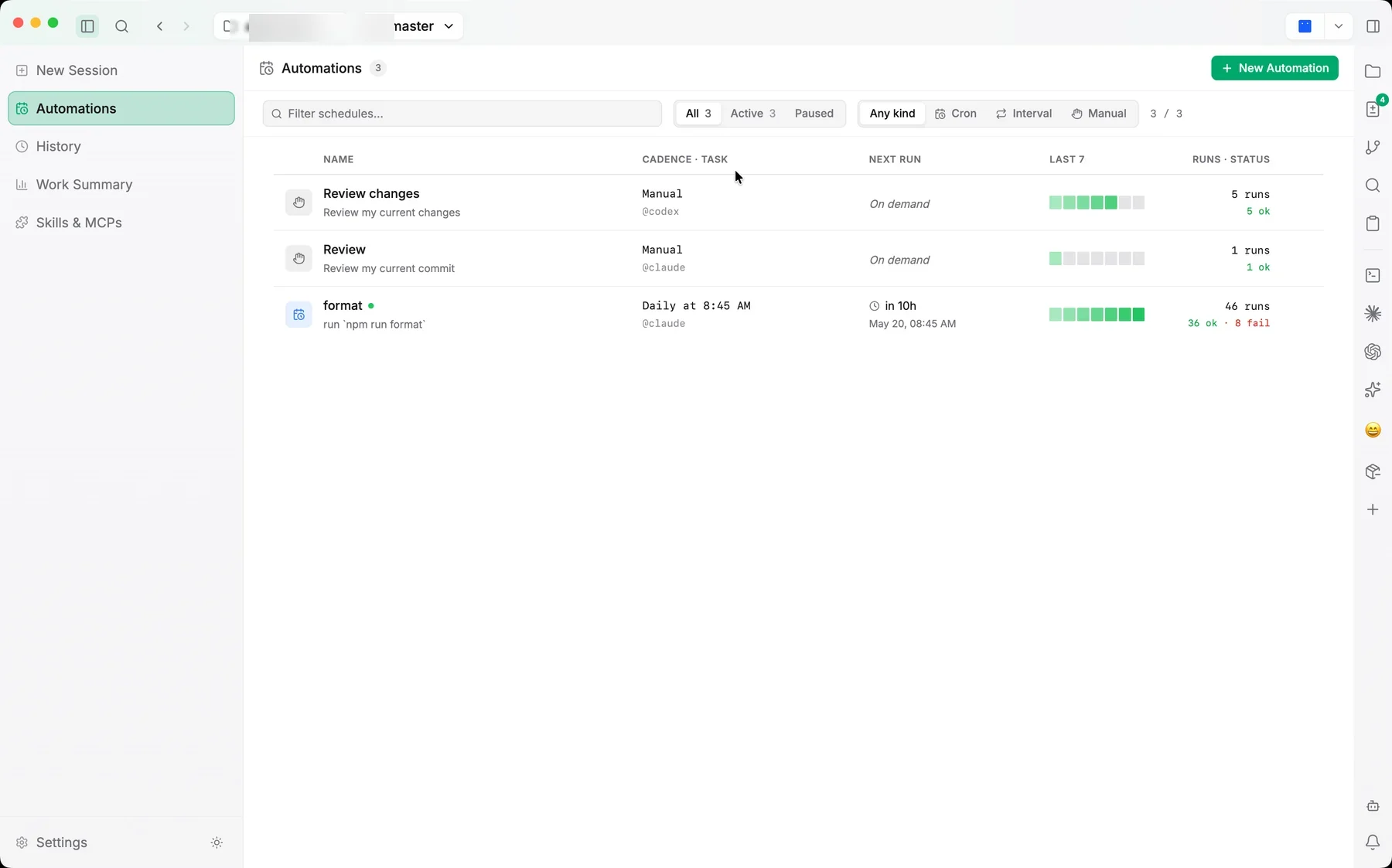
Scheduled Tasks (automations) let you turn a repeatable prompt into a recurring agent run. Instead of starting the same session by hand each time, you define it once and let Jaade trigger it on a schedule, with each schedule's health visible at a glance.
What a scheduled task is
Each scheduled task pairs a prompt (and the agent, model, and workspace context to run it with) with a trigger that decides when it runs. Per-task run settings — including reasoning effort and permission mode — are saved with the task, so every run repeats with the configuration you chose.
Triggers
A task can run on one of three trigger types:
- Manual — runs only when you trigger it yourself. Useful for a saved, one-click workflow that you don't want on a clock.
- Cron — runs on a cron schedule (for example, every weekday morning).
- Interval — runs on a fixed repeating interval (for example, every few hours).
Health status
Each schedule shows a health status so you can tell at a glance whether it's running as expected, along with its run history. Schedules can be enabled or disabled without deleting them.
Good fits
Scheduled tasks work well for recurring, low-supervision chores — a nightly dependency check, a periodic summary of recent changes, a regular triage pass — the kind of prompt you'd otherwise retype on a cadence.