
Skills, Plugins & MCP
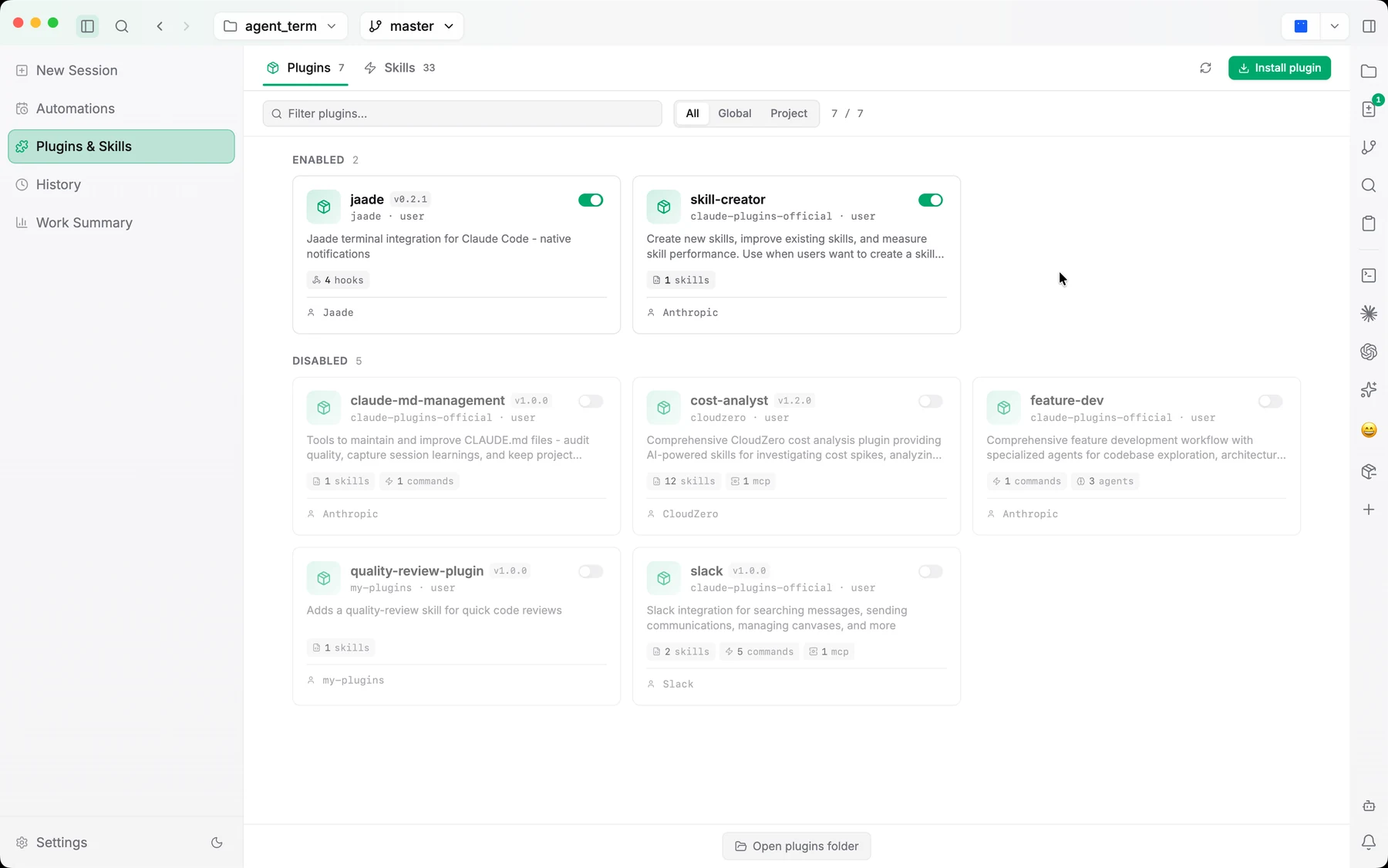
The Skills & MCPs view is the single place to manage everything that extends your agents: Claude Code plugins, Codex plugins, custom Agent Skills, and MCP servers.
Agent Skills
Agent Skills are reusable SKILL.md workflows you can browse, create, upload, edit, and enable/disable. They can be scoped to a workspace, a project, or globally, and you can filter and search the list (Cmd/Ctrl+F focuses the filter). A skill's detail view shows its file path and an inline editor, with an Open in… menu to reveal the folder in your file manager or open it in your editor of choice.
Project-scoped Agent Skills are read from <workspace>/.agents/skills and surface in the command bar's @ mention menu.
Claude plugins
Browse and install Claude Code plugins from the marketplace. Plugin cards show an Update → vX badge when a newer version is available (checked once per view-open, with a manual refresh). Each plugin's detail has Overview / Manifest / Source tabs and an Open in… submenu to reveal its folder or open it in your editor.
Codex plugins
Codex plugins installed under ~/.codex/plugins appear here too. Those that ship a .claude-plugin manifest (migrated from Claude Code) have their skills discovered and namespaced as <plugin>:<skill>. When you invoke such a skill in a Codex chat, it's rewritten into Codex's native markdown-link form and rendered as a styled chip with a humanized label.
MCP servers
The MCP section manages Model Context Protocol servers for both Claude and Codex. You can:
- Add, edit, delete, and re-authenticate servers.
- Edit environment variables.
- Sync OAuth tokens with the Claude CLI's macOS Keychain.
- Inspect the tools a server exposes, for both HTTP and stdio servers.
Servers configured in both Claude and Codex appear as separate, independently editable rows. In a running session, the chat gutter's Connectors card shows which MCP servers the session actually touched and which of their tools it called.
Bundled capabilities
Two capabilities ship inside Jaade and are managed through dedicated toggles rather than the marketplace:
- Computer Use — a macOS helper that lets agents operate the desktop.
- Browser Use — a bundled server that lets agents drive your real Chrome.
Both can also be installed into your terminal agents' configs from Settings → Features, so terminal Claude/Codex/OpenCode/Cursor can use them too.