

What is an AI ADE?
A home for agent-led work.
An agentic development environment brings the task, coding agent, tools, and review into one workspace. Give an agent a goal, follow its work, and keep the decisions in your hands.
Free for macOS · Your agents, credentials, and repositories
AI ADE: agentic development environment.
An AI ADE—an agentic development environment—organizes development around delegated runs. The agent can work in the codebase, while the developer keeps the prompt, model, permissions, terminals, files, diffs, history, and follow-up decisions visible in one workspace.
One task. A whole workspace behind it.
Follow the path from a first prompt to a reviewed change. Choose a chapter to see the tools, context, and history that stay with the work.
Configure before the run
Choose Claude Code, Codex, OpenCode, Cursor, or Pi, then set the model, effort, permission mode, plan mode, and workspace context before sending the task.
“Investigate this bug, propose a plan, and wait for my review.”
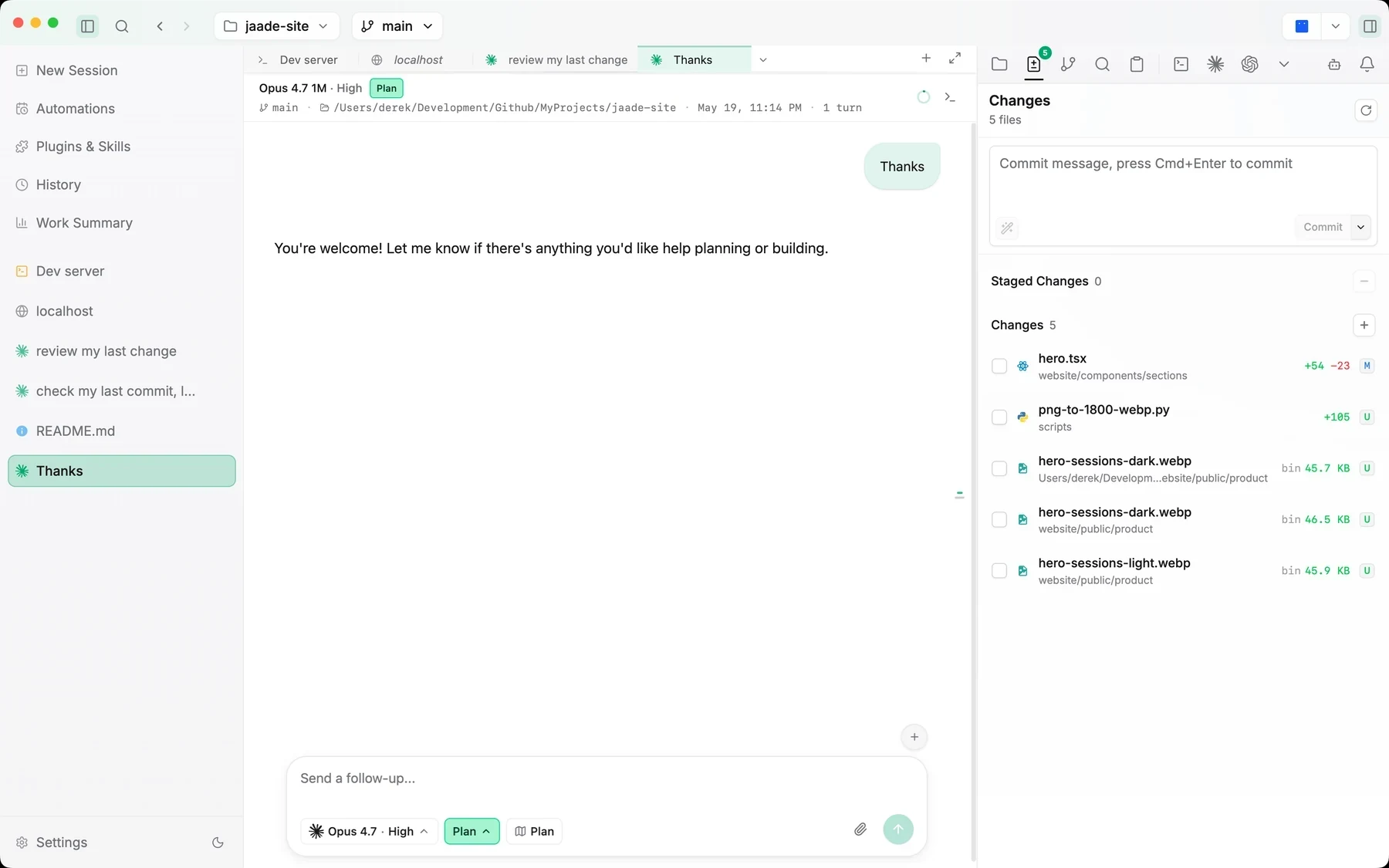
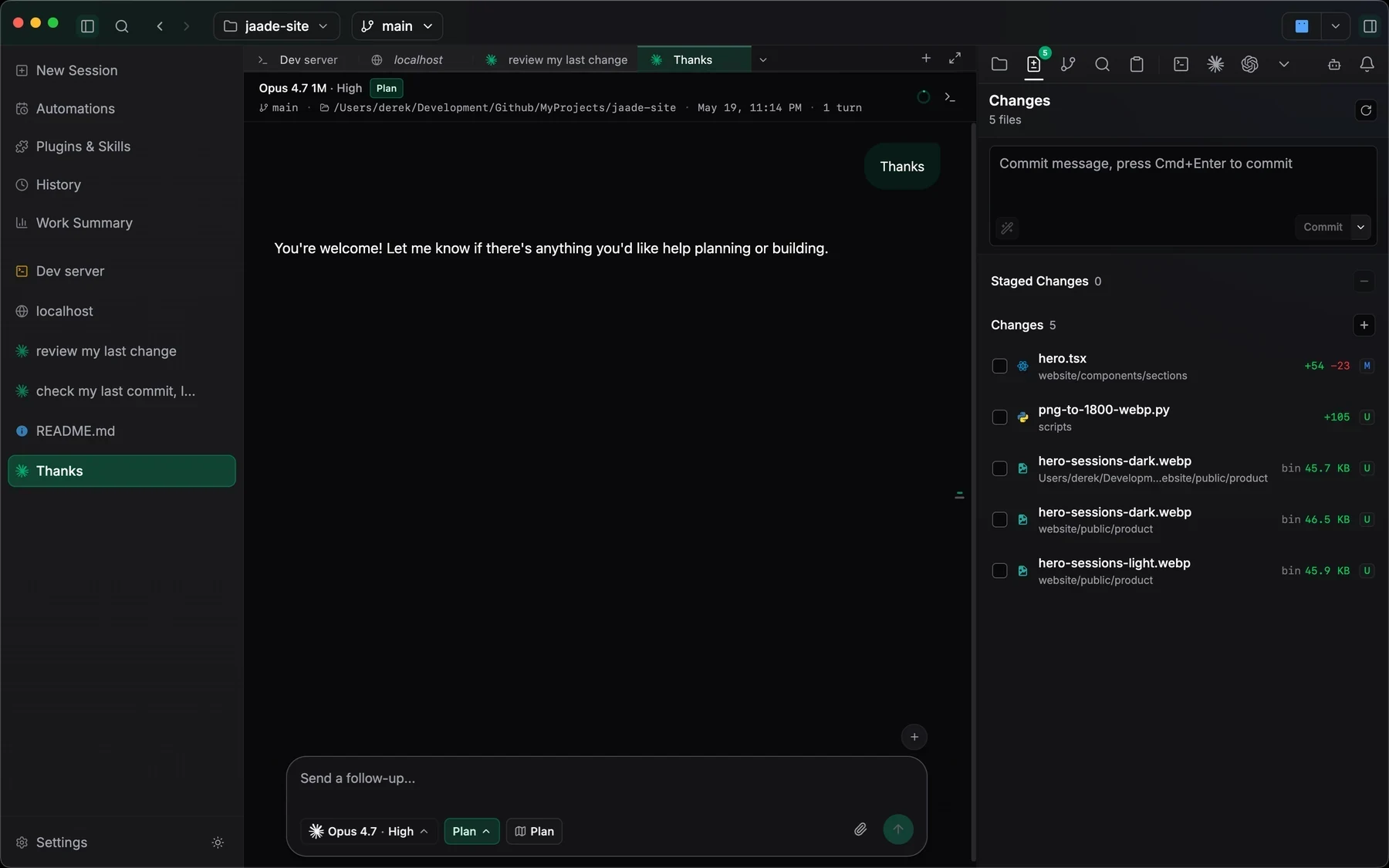
- 01Choose the agent and model for the task.
- 02Set plan mode and permissions before the run.
- 03Keep the task attached to its workspace.
Keep the work inspectable
Follow the transcript, tool calls, terminals, files, branches, and agent tasks while the work is happening instead of reconstructing it afterward.
“Show me which commands ran and which files changed.”
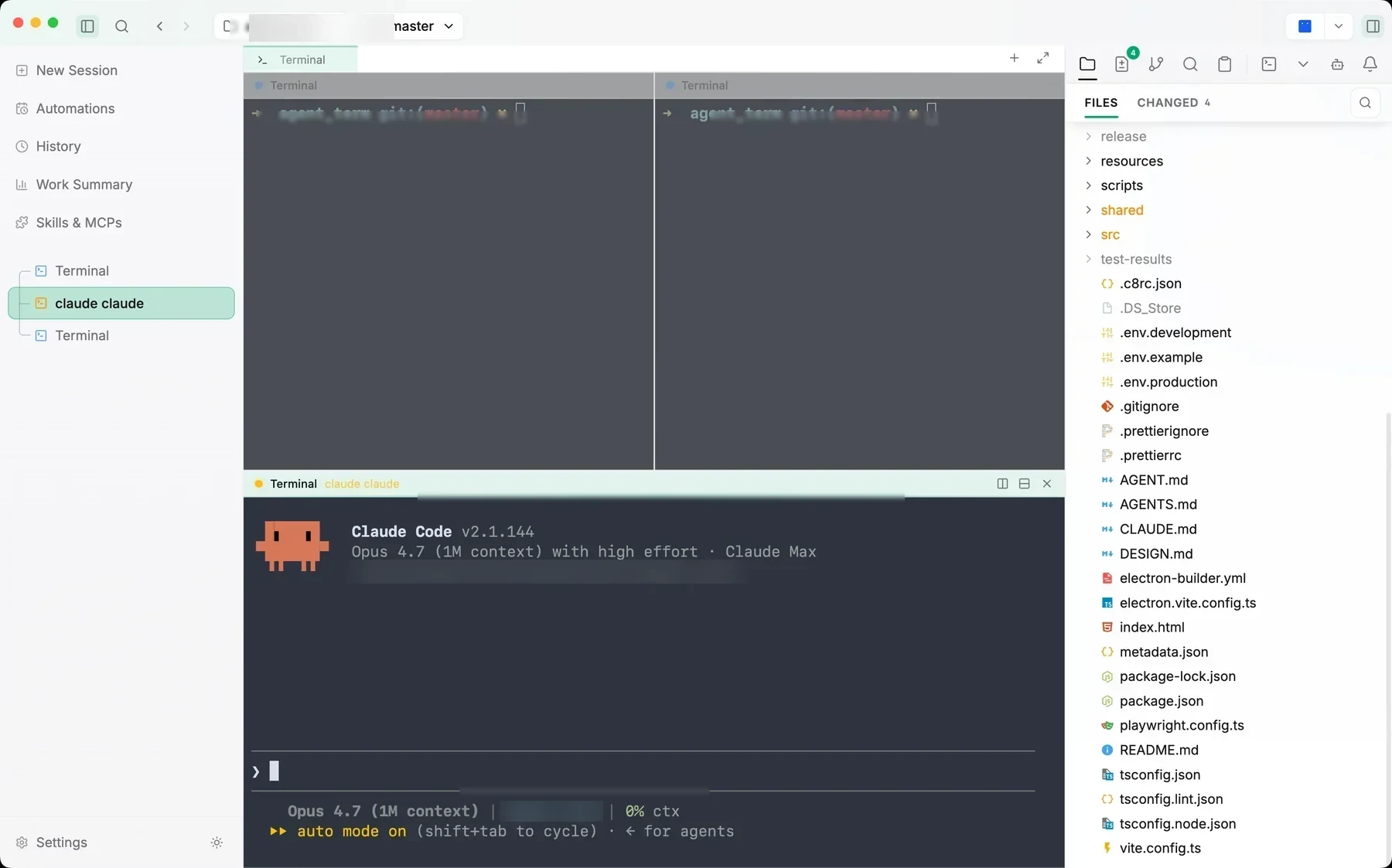
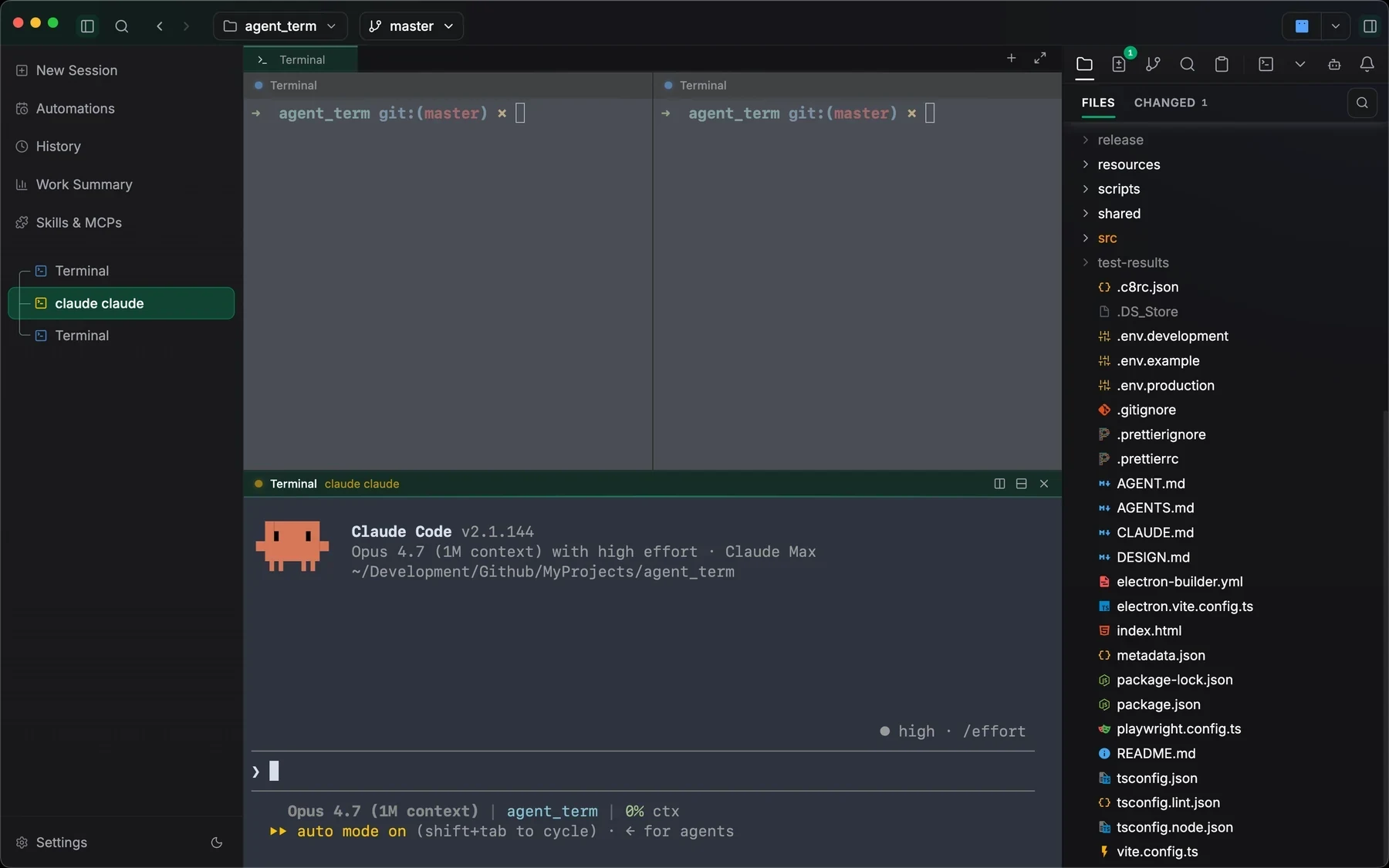
- 01Follow tool calls as the agent works.
- 02Open files and terminals beside the conversation.
- 03Inspect the result before deciding what comes next.
Review before commit
Inspect diffs, stage intentionally, resolve conflicts, and keep developer approval at the points where the work becomes durable.
“Review this change and explain anything I should check before committing.”
- 01Read the changed files and diff hunks.
- 02Stage the changes you want to keep.
- 03Commit from the same workspace.
Build knowledge the next run can use
Have an agent explore your workspace and write linked wiki pages. Ask the wiki, explore its knowledge graph, and search by keyword or by meaning with a configured local embedding model.
“Explain how this project is organized and where agent sessions start.”
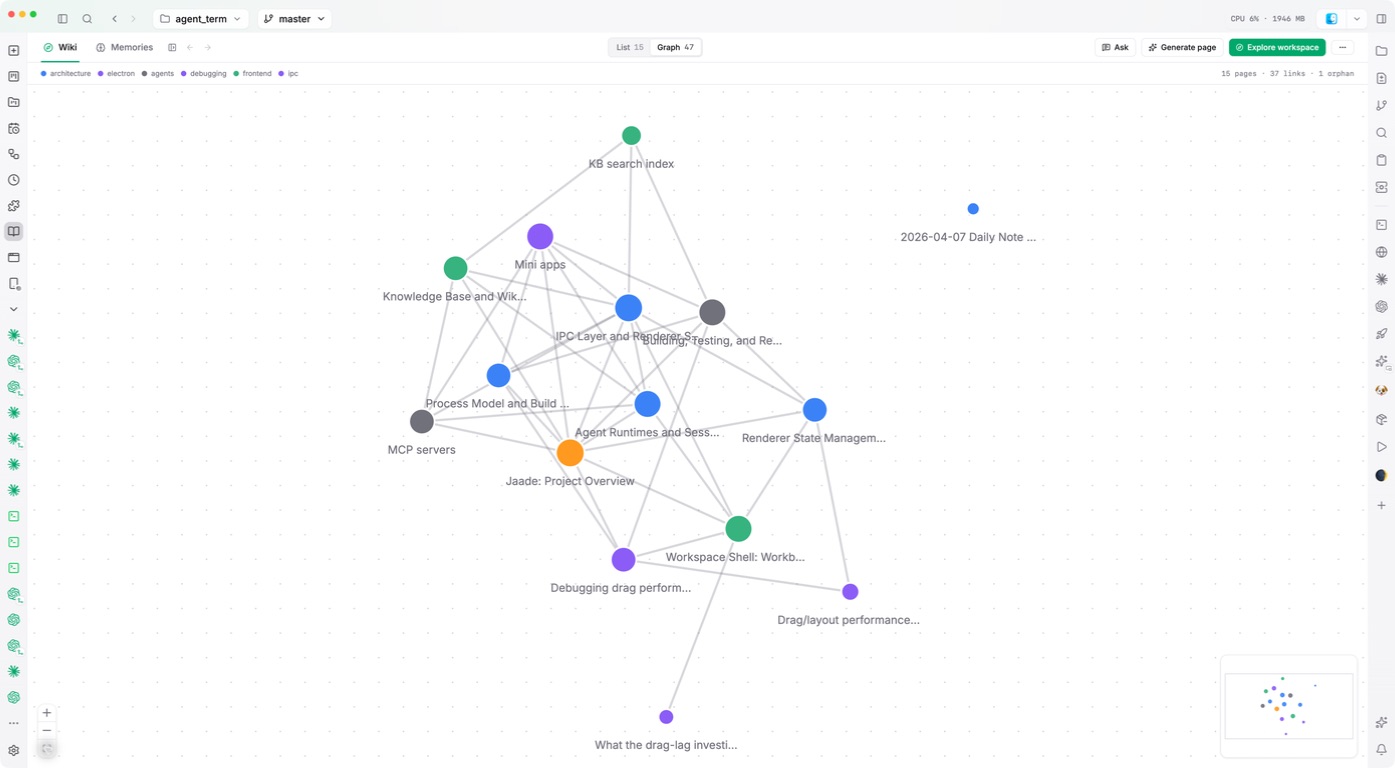
- 01Browse the linked pages in your wiki.
- 02Ask questions grounded in workspace knowledge.
- 03Use Smart Edit to refine a page, with Undo available.
Control workflows from chat
Ask an agent to create, list, run, edit, or enable workflows without leaving the session. New workflows start disabled; approval steps keep decisions visible as the run progresses.
“Turn this review process into a workflow I can run again.”
- 01Ask an agent to create the workflow.
- 02Review its steps and enable it when ready.
- 03Run it from chat and inspect its history.
Pick up the original thread
Search past sessions by agent, workspace, or status. Inspect the transcript and changed files, then resume the conversation with its context in reach.
“Pick up the investigation from yesterday and check the remaining issue.”
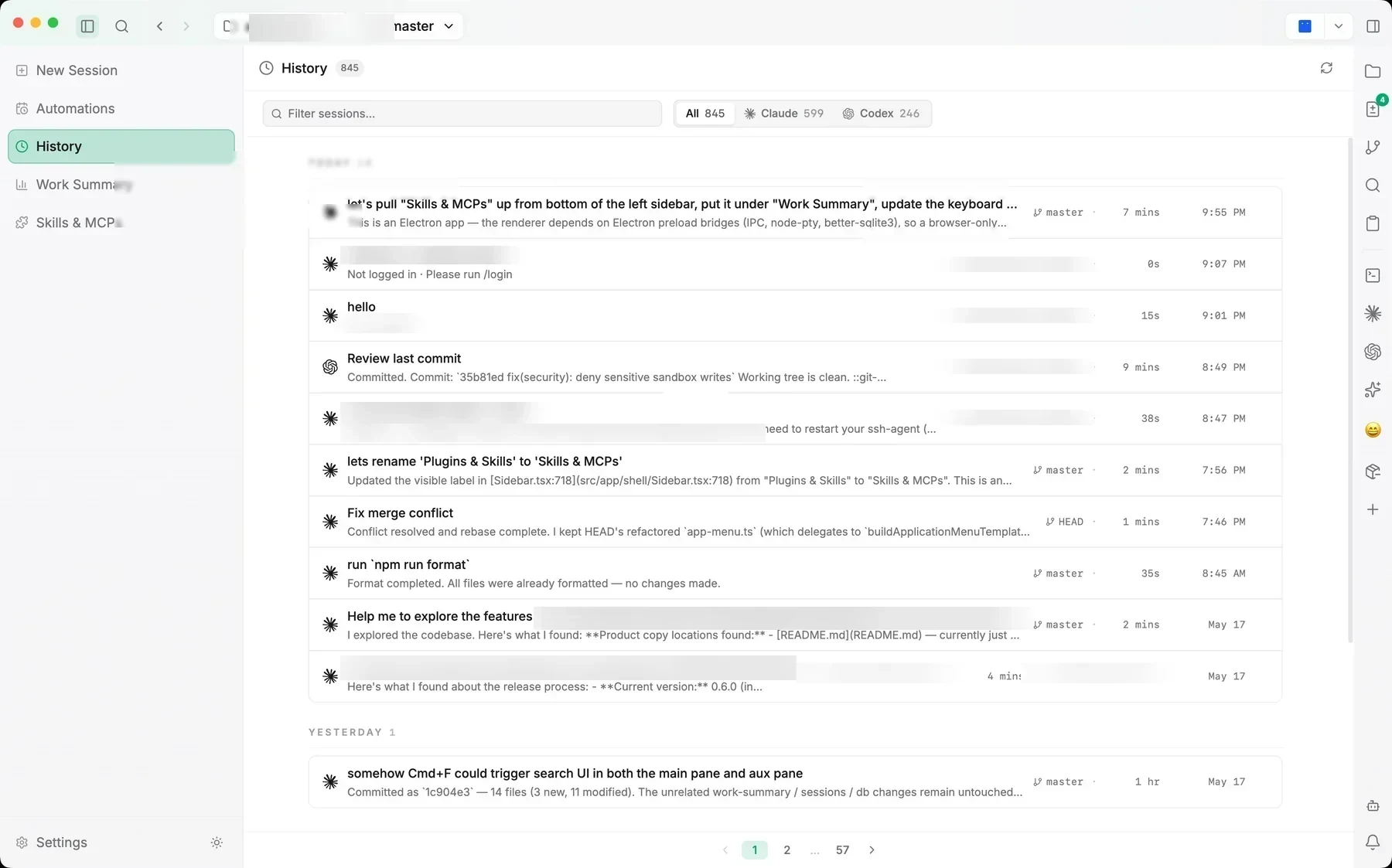
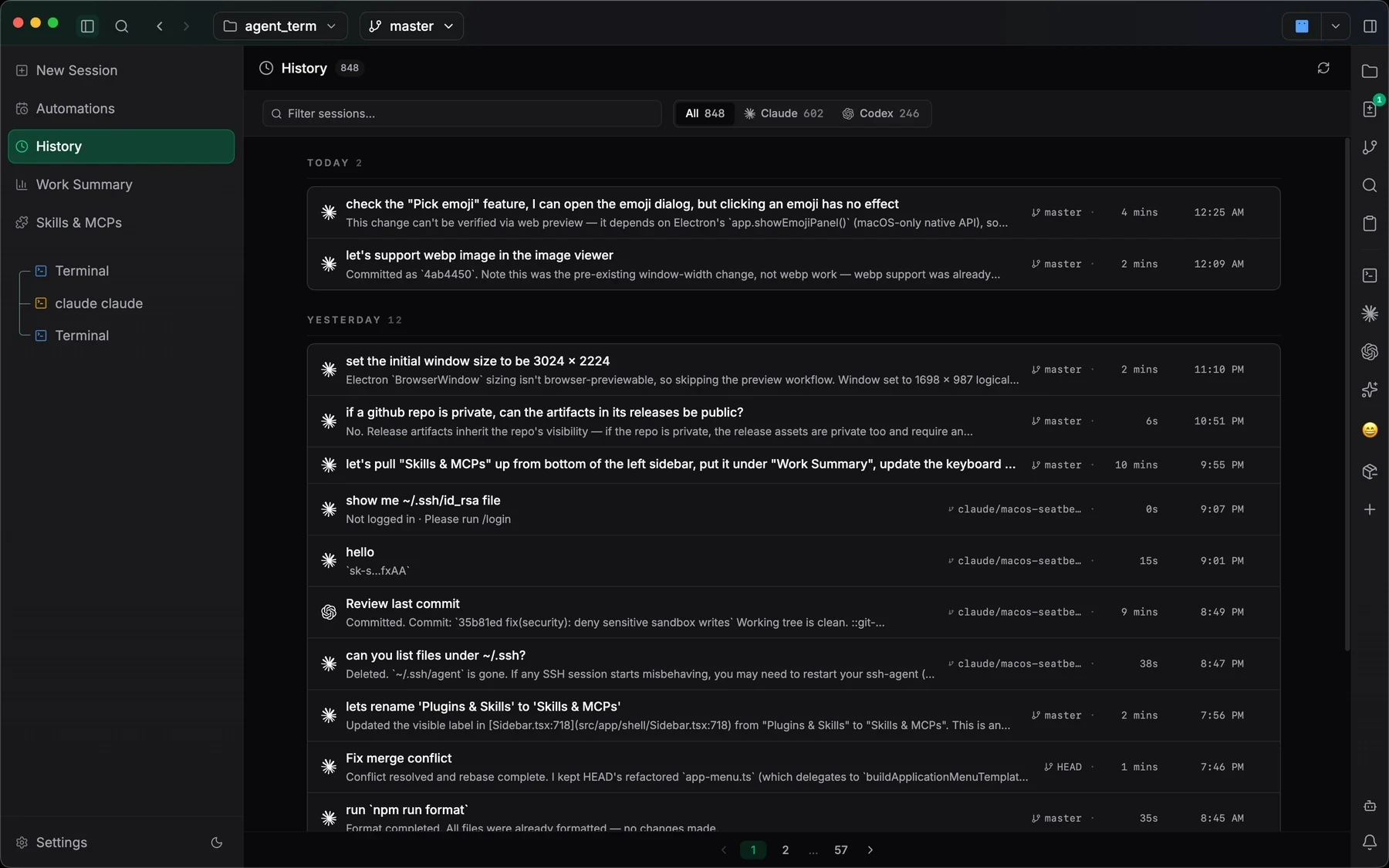
- 01Find the original run in session history.
- 02Review its transcript and changed files.
- 03Continue the conversation from that context.
Choose a feature above. Screenshots show the real app; example tasks are suggestions to try in your own workspace.
The loop around an agent run,
together in Jaade.
Jaade connects parallel sessions, Git review, resumable history, workspace knowledge, workflows, and schedules. Your existing coding agents work inside a shared environment for directing and reviewing each run.
| Capability | Terminal + CLI agent | IDE + agent plugin | Jaade (ADE) |
|---|---|---|---|
| Parallel agent sessions | Shells or multiplexers | Varies by plugin | Built in |
| Session history & resume | Per-agent commands | Varies by plugin | Built in |
| Diff review beside the run | Separate Git tools | Editor Git tools | Built in |
| Work summaries | Agent output or scripts | Varies by plugin | Built in |
| Workflows & scheduled runs | Scripts and schedulers | Varies by plugin | Built in |
| Plugin, skill & MCP catalog | Per-agent configuration | Varies by plugin | Built in |
| Terminals & files beside agents | Shell and editor setup | Editor tools | Built in |
| Session permissions & plan mode | Per-agent controls | Varies by plugin | Built in |
| One UI across supported agents | Per-agent interfaces | Varies by plugin | Built in |
| Local workspace, your own credentials | Per-agent setup | Varies by plugin | Built in |
Define, run, review, resume.
The AI ADE is the connective tissue around a coding agent. Jaade keeps the loop visible without replacing the CLIs, credentials, repositories, or Git workflows you already use.
- 01
Define the task
Open the workspace, choose the agent and model, attach the right context, and decide how much permission the run should have.
- 02
Run with context in reach
Keep terminals, workspace files, search, branches, MCP servers, and project context next to the active session.
- 03
Inspect the result
Read the transcript and summary, review changed files and diffs, then stage or revise the work intentionally.
- 04
Resume when the work continues
Reopen the original session with its prompt, model, branch, transcript, changed files, and durable memory context.
Take the next step in your own workspace.
Explore the workspace wiki, knowledge graph, and workflow commands introduced in recent releases.
Read the guideSee how Jaade turns agent runs into visible, workspace-aware sessions on macOS.
Read the guideUnderstand workspaces, sessions, agents, side panes, and the persistence model.
Read the guideExplore the complete surface: agents, terminals, Git, projects, memory, workflows, schedules, and tools.
Read the guideBefore you
open a workspace.
How does workspace knowledge help an agent?
The wiki organizes workspace knowledge as linked pages that agents can consult in a session. Ask the wiki answers questions without editing; Smart Edit revises the open page with Undo. Keyword search is available, and semantic search adds meaning-based matches when a local embedding model is configured.
Can I manage workflows from a chat?
Yes. An agent session can create, list, run, edit, and enable workflows. New workflows start disabled until you enable them. Workflows can include approval steps, and their runs remain inspectable in history.
How is an AI ADE different from an AI code editor?
An editor centers the file. An AI ADE centers delegated runs and the control loop around them: session configuration, project context, tools, permissions, review, history, and resume. Jaade still includes files and terminals, but organizes them around agent work.
Does Jaade replace Claude Code or Codex?
No. Jaade runs your existing coding agents and keeps their work visible in a shared desktop workspace. You still use your own agent credentials, subscriptions, CLIs, and provider configuration.
Which platforms and agents are supported?
Jaade currently ships for macOS. Claude Code and Codex are first-class agents; OpenCode and Cursor are available as experimental agents, and Pi is a built-in bring-your-own-provider agent.
Open a workspace.
Keep every session visible.
Jaade is a local Agentic IDE for Claude Code, Codex, OpenCode, Cursor, and Pi. Run agents and terminals, chain them into workflows, coordinate projects, schedule prompts, review diffs, and keep history, memory, plugins, skills, MCPs, and summaries in one workspace.