

An AI IDE for
the whole agent workflow.
Bring Claude Code and Codex into a macOS workspace with files, terminals, Git review, and a wiki your agents can use. Work through the whole task without losing the conversation.
Free for macOS · Your agents, credentials, and repositories
An AI IDE for the way you work with agents.
An AI IDE brings coding agents and everyday development tools into one workspace. Jaade centers that workspace on visible, resumable agent sessions, with terminals, files, project context, Git review, permissions, skills, plugins, and MCP servers close at hand.
From “can you fix this?” to a change you understand.
Explore the everyday tools around your coding agent. Review a diff, investigate a side question, or turn what you learn into workspace knowledge.
Work with the coding agents you use
Start Claude Code or Codex with your existing credentials and CLI setup. OpenCode and Cursor are available as experimental agents, and Pi runs on your own provider keys.
“Plan a small fix for this issue, then walk me through the implementation.”
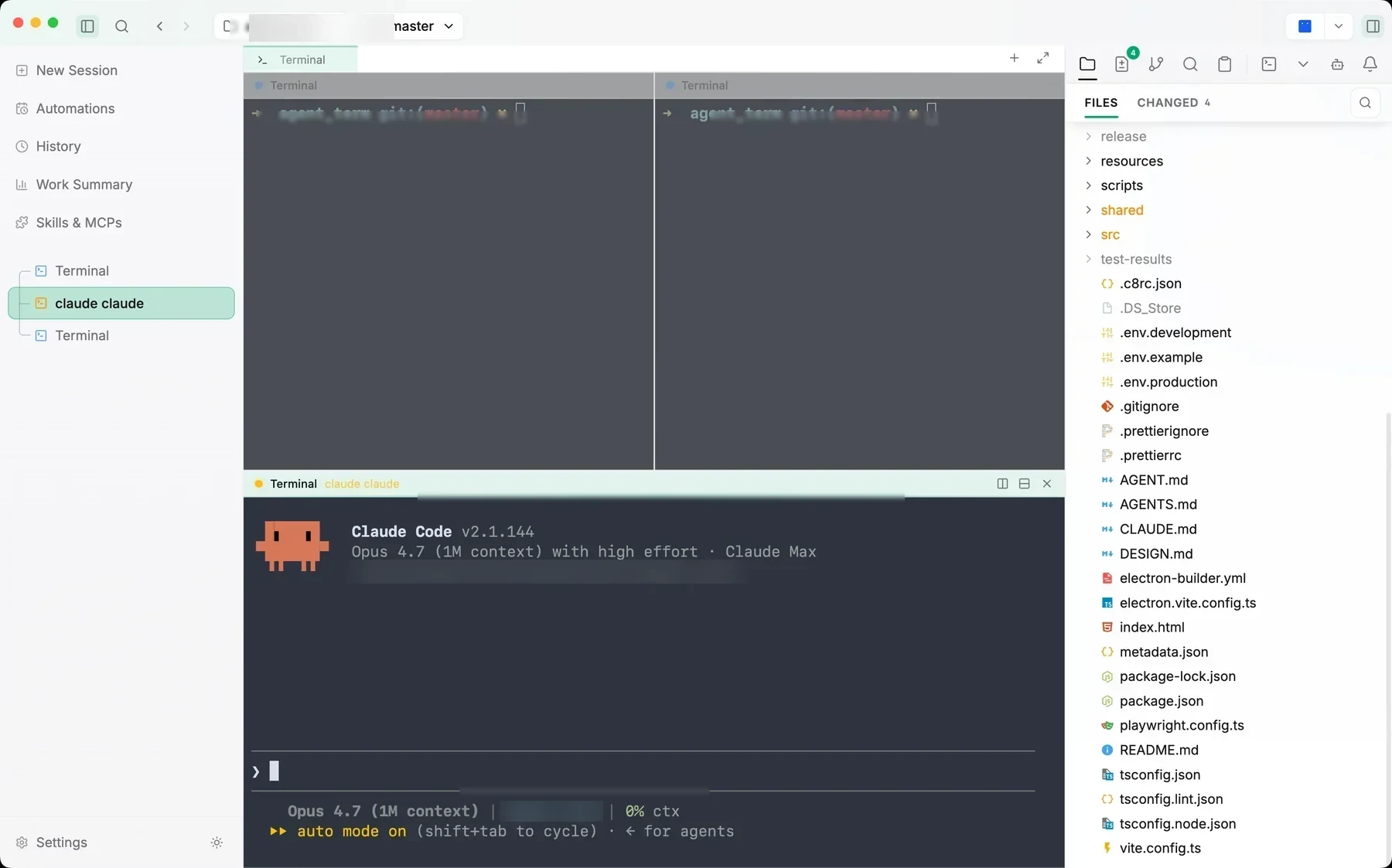
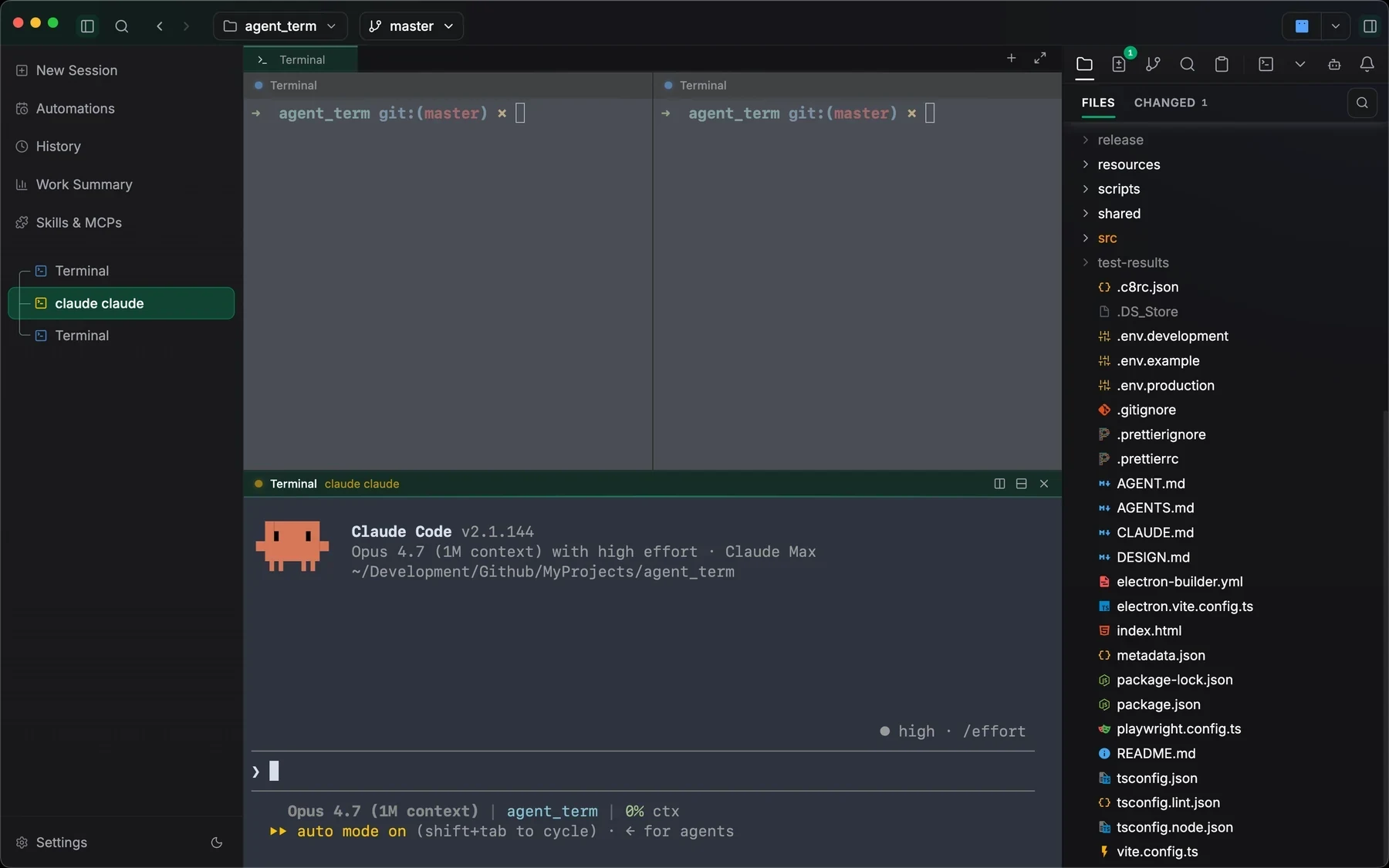
- 01Open your repository as a workspace.
- 02Choose your coding agent and permission mode.
- 03Keep the conversation and changed files together.
Keep developer tools nearby
Move between the agent transcript, workspace files, terminals, branches, search, skills, plugins, and MCP servers without losing the active task.
“Trace this error through the code and verify the fix in a terminal.”
- 01Read the relevant workspace files.
- 02Run commands in a terminal beside the session.
- 03Bring skills and MCP tools into reach when needed.
Make changes inspectable
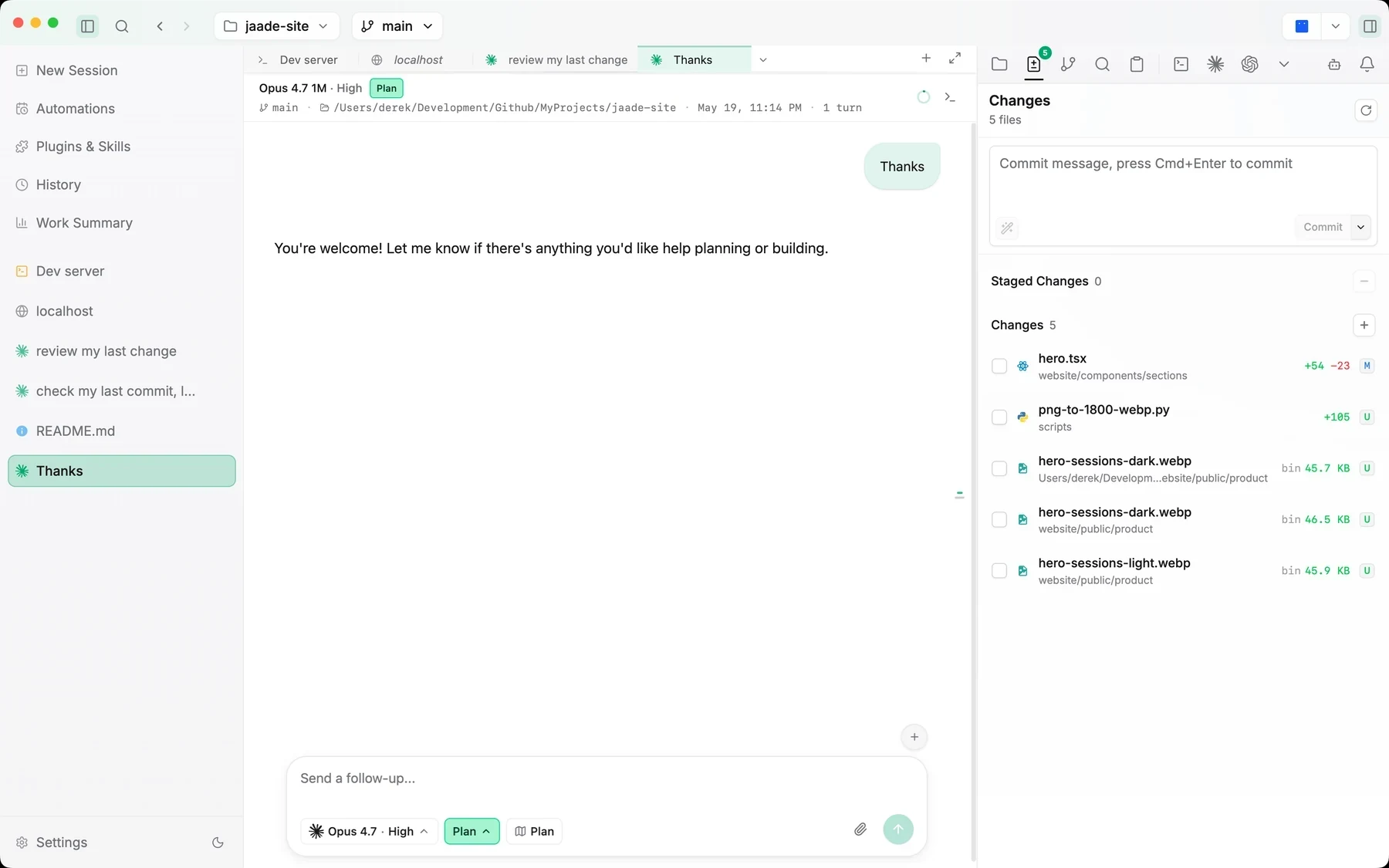
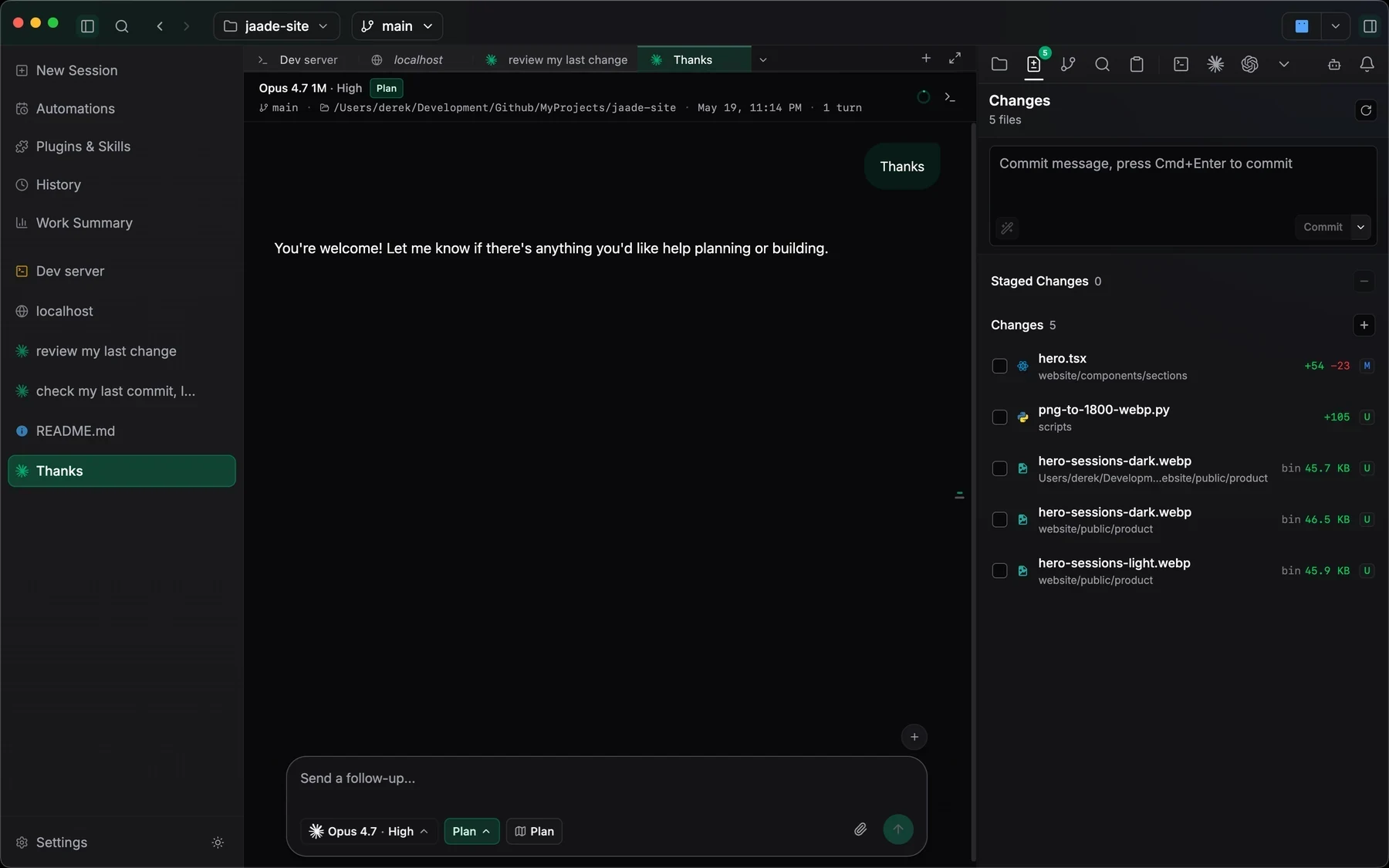
Inspect code diffs and previous/current image revisions, manage branches and stashes, and stage intentionally. Binary files are identified explicitly, so an empty text diff does not hide a change.
“Check the code and image changes before I stage this commit.”
- 01Inspect text diffs and previous/current image revisions.
- 02Work with branches and stashes in the Git panel.
- 03Stage intentionally and commit when ready.
Explore and edit your workspace wiki
Explore linked pages in the knowledge graph and ask the wiki to explain your workspace. Switch to Smart Edit to revise the open page in plain language, with Undo in reach.
“Explain this part of the codebase, then help me improve its wiki page.”
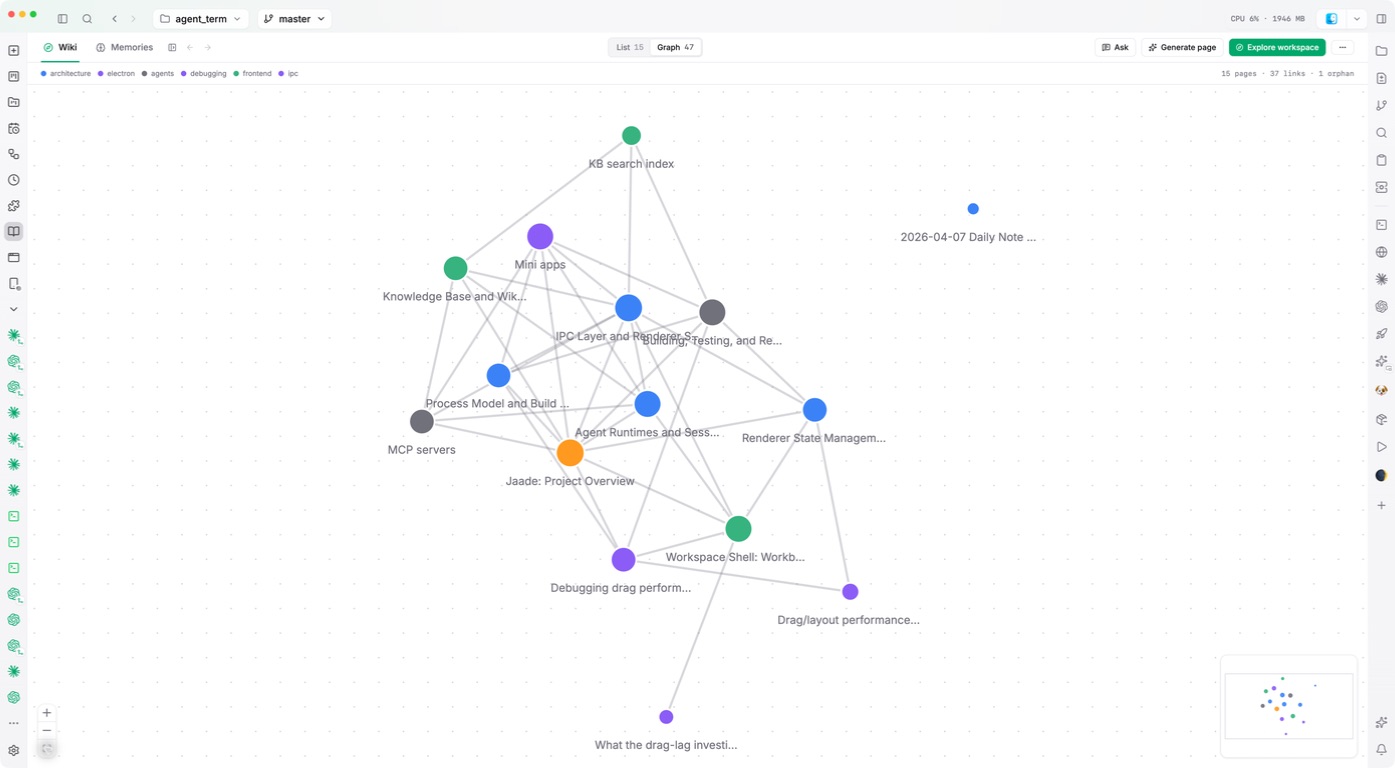
- 01Explore connections in the knowledge graph.
- 02Ask the wiki a question without changing pages.
- 03Switch to Smart Edit for a focused page revision.
Follow a question beside the task
Start a side chat from selected text or the transcript’s context menu. Keep multiple, named conversations in the auxiliary pane while the main session stays in view.
“What tradeoffs should I consider in this approach?”
- 01Select a passage in the main conversation.
- 02Open a side chat in the auxiliary pane.
- 03Explore the question while keeping the original task in view.
Write with slash commands
Insert headings, lists, tables, code blocks, and inline formatting from the editor’s slash menu. Available in both Monaco and CodeMirror wherever you edit Markdown, including wiki pages, skills, and memories.
“Document the setup steps and add a troubleshooting checklist.”
- 01Use / to choose a heading, list, table, or code block.
- 02Edit Markdown in Monaco or CodeMirror.
- 03Use the same commands in wiki pages, skills, and memories.
Choose a feature above. Screenshots show the real app; example tasks are suggestions to try in your own workspace.
Your development tools,
connected to the agent run.
Jaade brings files, terminals, Git review, and workspace knowledge alongside parallel agent sessions. Resumable history, workflows, and schedules keep the work connected from the first prompt to the next run.
| Capability | Terminal + CLI agent | IDE + agent plugin | Jaade (ADE) |
|---|---|---|---|
| Parallel agent sessions | Shells or multiplexers | Varies by plugin | Built in |
| Session history & resume | Per-agent commands | Varies by plugin | Built in |
| Diff review beside the run | Separate Git tools | Editor Git tools | Built in |
| Work summaries | Agent output or scripts | Varies by plugin | Built in |
| Workflows & scheduled runs | Scripts and schedulers | Varies by plugin | Built in |
| Plugin, skill & MCP catalog | Per-agent configuration | Varies by plugin | Built in |
| Terminals & files beside agents | Shell and editor setup | Editor tools | Built in |
| Session permissions & plan mode | Per-agent controls | Varies by plugin | Built in |
| One UI across supported agents | Per-agent interfaces | Varies by plugin | Built in |
| Local workspace, your own credentials | Per-agent setup | Varies by plugin | Built in |
From prompt to reviewed change.
Jaade complements the coding-agent CLIs and repositories you already use. It gives their work a persistent desktop workspace without pretending every task should be autonomous.
- 01
Open the project
Choose a local workspace so the agent, files, terminals, Git state, and project context start from the same place.
- 02
Configure the session
Select the agent, model, effort, permission mode, and relevant context before describing the task.
- 03
Follow the work
Keep the transcript, tool activity, terminal output, and changed files visible while the coding agent works.
- 04
Review and continue
Inspect the result, revise or stage the changes, and resume the same session when the task needs another pass.
Take the next step in your own workspace.
Explore the workspace wiki, knowledge graph, and workflow commands introduced in recent releases.
Read the guideSee the supported agents, session controls, model settings, and permission options.
Read the guideExplore the file browser, editor, search, and workspace-aware file tools.
Read the guideReview diffs, stage changes, work with branches, and keep Git decisions explicit.
Read the guideBefore you
open a workspace.
How does workspace knowledge help an agent?
The wiki organizes workspace knowledge as linked pages that agents can consult in a session. Ask the wiki answers questions without editing; Smart Edit revises the open page with Undo. Keyword search is available, and semantic search adds meaning-based matches when a local embedding model is configured.
Can I manage workflows from a chat?
Yes. An agent session can create, list, run, edit, and enable workflows. New workflows start disabled until you enable them. Workflows can include approval steps, and their runs remain inspectable in history.
What makes Jaade an AI IDE?
Jaade combines coding-agent sessions with the developer tools needed to direct and review their work: project context, terminals, files, Git, permissions, history, workflows, skills, plugins, and MCP servers.
Does Jaade replace Claude Code or Codex?
No. Jaade provides a desktop workspace around those agents. You continue to use your own credentials, subscriptions, CLI installations, provider settings, and repositories.
How is an AI IDE different from an AI ADE?
The terms overlap. AI IDE is the familiar category for an AI-enabled development workspace. AI ADE emphasizes the delegated, agent-driven workflow: configuring runs, supervising tool use, reviewing results, and resuming durable sessions.
Open a workspace.
Keep every session visible.
Jaade is a local Agentic IDE for Claude Code, Codex, OpenCode, Cursor, and Pi. Run agents and terminals, chain them into workflows, coordinate projects, schedule prompts, review diffs, and keep history, memory, plugins, skills, MCPs, and summaries in one workspace.